
See the plant. Open the detail.
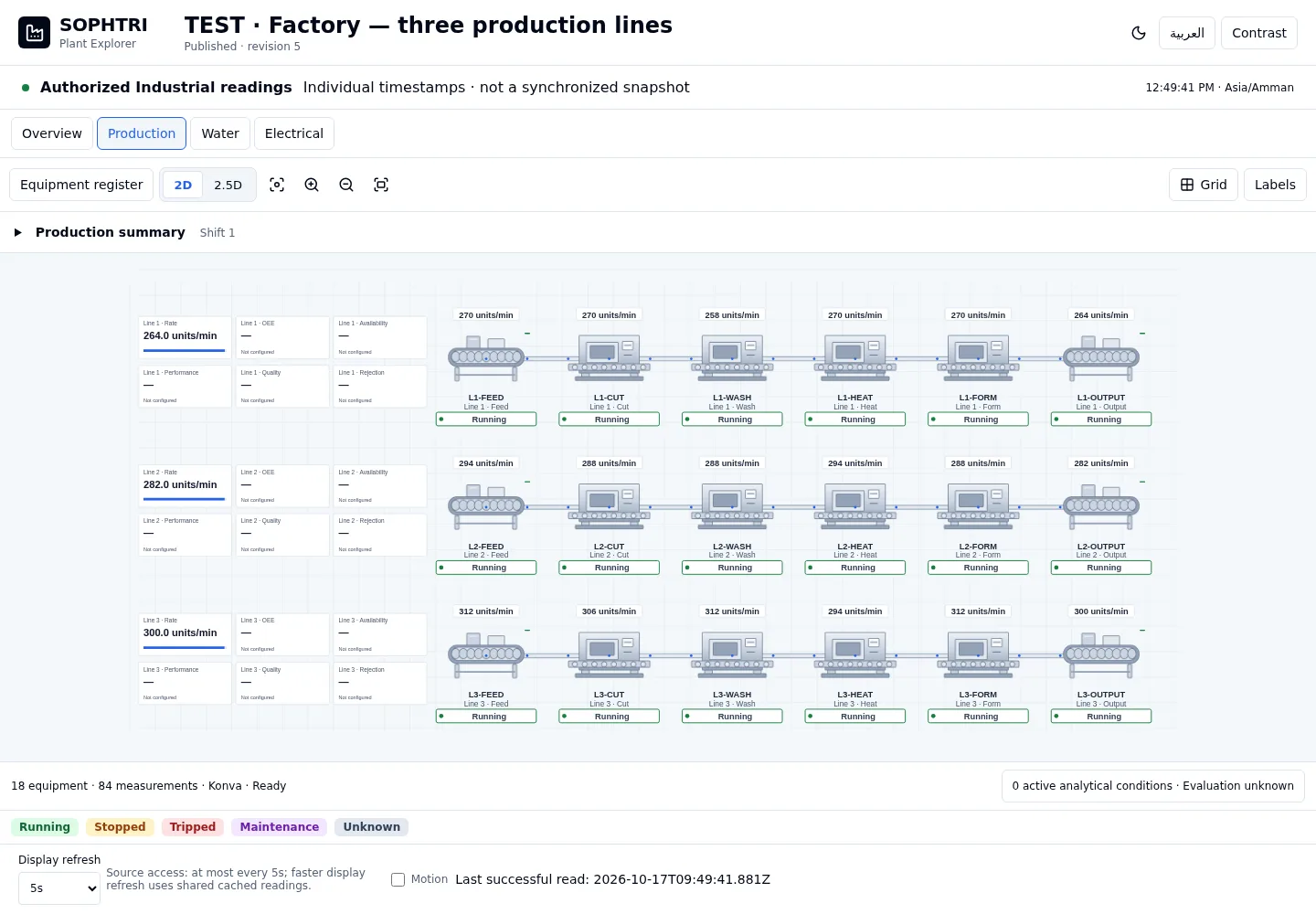
Bring equipment, readings and operating states into one visual view, with production, water and electrical context close at hand.

Plant Explorer,
with the context you need.
Plant Explorer connects a visual equipment layout to authorized Industrial data. Move from a production or utility overview into the measurement detail behind it. The current experience is available for guided demonstration; customer installation scope is reviewed before rollout.
2D and isometric layouts
Arrange equipment symbols and navigate the scene with zoom, pan and fit.
Focused operating screens
Organize production, water and electrical views.
Equipment detail
Inspect available readings, source quality and historical charts or tables.
Data widgets and Kiosk
Place bound readings and indicators beside equipment, then publish an audience-controlled view.
How the work connects.
- 01
Choose the view
Start with a line, area or utility that has a clear operational purpose.
- 02
Arrange the equipment
Build a layout that helps people recognize the process.
- 03
Bind reviewed data
Select authorized measurements and check their meaning and quality.
- 04
Publish and inspect
Share the scene with its audience and open equipment detail when needed.
Before you
get started.
Can we see Plant Explorer before planning an installation?
Yes. Request a guided preview of the current experience and discuss your equipment, source data and intended audience.
Is Plant Explorer a machine-control screen?
The experience described here is for visualization and monitoring. Published Kiosk views are read-only.
Does every number in a demonstration represent a customer plant?
No. Demonstrations can use clearly identified test telemetry. Customer measurements and indicators require their own reviewed setup.
See plant explorer in context.
Bring a representative workflow. We’ll walk through the records, responsibilities and configuration together.